TSI-013 | TechSenseIndia
Published Date :February 1 2026
how-to-boost-smartphone-battery-life-2026
Introduction
One of the most common complaints smartphone users have today is battery drain. Even with larger batteries and faster charging, many phones struggle to last a full day with regular use.
The reason is simple. Modern smartphones run multiple apps in the background, maintain constant internet connectivity, and power high-refresh-rate displays. While these features improve the user experience, they also consume more energy.
The good news is that you don’t need a new phone or a bigger battery to improve performance. A few practical changes in your daily usage and settings can make a noticeable difference in how long your battery lasts.
“Also check our latest post on Best Global Chargers
Here are simple and effective tips that work on almost every smartphone.
| Action | Do | Don’t | Why It Matters |
|---|---|---|---|
| Charging Habit | Keep battery between 20% and 80% | Charge to 100% all the time | Reduces long-term battery wear |
| Overnight Charging | Use optimized charging features | Leave phone plugged in daily without protection | Prevents heat and overcharging stress |
| Heat Management | Keep phone cool during charging and heavy use | Use phone while fast charging or keep it under pillows | Heat is the biggest enemy of battery health |
| Fast Charging | Use fast charging only when needed | Fast charge multiple times daily | Frequent high-speed charging increases battery aging |
| Background Apps | Close or restrict unnecessary apps | Allow all apps to run continuously | Reduces battery drain throughout the day |
| Display Settings | Lower brightness and use dark mode | Keep maximum brightness always | Display consumes the most power |
| Original Accessories | Use certified chargers and cables | Use cheap or duplicate chargers | Ensures stable power and protects battery life |
1. Reduce Screen Brightness or Use Auto-Brightness
The display is the biggest battery consumer.
Lower the brightness manually or enable auto-brightness so the phone adjusts based on lighting conditions. This alone can significantly improve battery life.
2. Use Dark Mode (Especially on AMOLED Displays)
If your phone has an AMOLED or OLED screen, dark mode can reduce power consumption because black pixels use less energy.
Enable dark mode for:
- System interface
- Supported apps
- Wallpapers
3. Turn Off Unnecessary Background Apps
Many apps keep running even when you’re not using them.
Check:
Settings → Battery → App usage
Restrict or uninstall apps that consume high power in the background.
4. Disable Features You Don’t Always Need
Keep these turned off when not in use:
- Bluetooth
- Location (GPS)
- NFC
- Hotspot
Location services, in particular, can drain the battery quickly if always active.
5. Lower the Refresh Rate (If Available)
Many modern phones offer 120Hz refresh rate for smoother scrolling, but it uses more power.
Switch to:
- 60Hz for better battery life
- Adaptive mode if available
6. Use Battery Saver Mode When Needed
Battery Saver reduces background activity and limits performance slightly to extend usage time.
Use it when:
- Battery drops below 20–30%
- You need the phone to last longer during travel or long days
7. Avoid Extreme Temperatures
Heat is one of the biggest enemies of battery health.
Avoid:
- Using the phone heavily while charging
- Leaving it in direct sunlight
- Charging under pillows or on soft surfaces
Keeping the phone cool helps both daily performance and long-term battery health.
“Also check our latest post on Ultra fast charging
8. Manage Notifications and Sync
Constant notifications and auto-sync keep the phone active.
You can:
- Disable notifications for non-essential apps
- Reduce email sync frequency
- Turn off auto-sync for unused accounts
9. Charge Smartly
Good charging habits also affect battery performance.
Best practices:
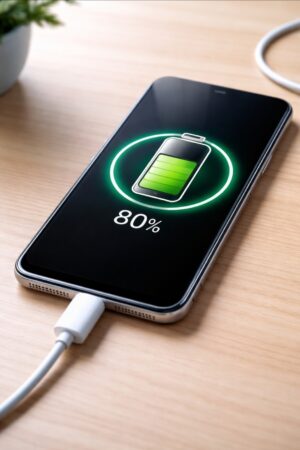
- Keep battery between 20% and 80% when possible
- Avoid regular overnight charging
- Use original or certified chargers
Pros of Following These Tips
- Longer daily battery life
- Reduced heating issues
- Better long-term battery health
- Improved overall phone performance
Cons
- Some features may need manual control
- Slight adjustment in usage habits
- May reduce performance in battery saver mode
Who Should Follow These Tips
These tips are especially useful if you:
- Use your phone heavily throughout the day
- Notice faster battery drain than before
- Want to use your device for 2–3 years
- Travel frequently or stay away from charging points
If you upgrade your phone every year, the long-term benefits may be less noticeable.
Check latest price and offers on Amazon
Final Verdict
Battery life depends not just on battery size but also on how the phone is used. Small adjustments like reducing brightness, managing background apps, and using battery-saving features can make a big difference in daily performance.
You don’t need advanced tools or apps. Simple changes in settings and usage habits are enough to keep your smartphone running longer and maintain its battery health over time.
Consistent habits, even small ones, can help your device stay reliable for years.
For collaborations or official enquiries: 📩 Sathish@techsenseindia.in

Sathish G is a retail and consumer electronics professional with hands-on experience in audio and large format retail operations. He writes about gadgets, EV updates, and audio products with a focus on practical buying guidance and real-world usability.